Database Management Systems (DBMS)
Unit-6
Transaction
Processing
Looping Outline
- What is transaction?
- ACID properties of transaction
- Transaction State Diagram \ State Transition Diagram
- Schedule
- Two phase commit protocol
- Database recovery
- Concurrency
What is transaction?
A transaction is a sequence of operations performed as a single logical unit of work. A transaction is a logical unit of work that contains one or more SQL statements. Example of transaction:
Want to transfer Rs. 50 from Account-A to Account-B
Works as a single logical unit read (A)
A = A – 50 Transaction write (A)
Operations read (B)
B = B + 50 write (B)
ACID properties of transaction
Atomicity (Either transaction execute 0% or 100%)
Consistency (Database must remain in a consistent state after any transaction)
Isolation (Intermediate transaction results must be hidden from other concurrently executed transactions)
Durability (Once a transaction completed successfully, the changes it has made into the database should be permanent)
ACID properties of transaction (Atomicity)
This property states that a transaction must be treated as an atomic unit, that is, either all of its operations are executed or 0% none.
read (A) Either transaction execute 0% or 100%.
A = A – 50 For example, consider a transaction to transfer Rs. 50 from account A to account B.
write (A) FAIL In this transaction, if Rs. 50 is deducted from account A then it read (B) must be added to account B.
B = B + 50 write (B)
100%
ACID properties of transaction (Consistency)
The database must remain in a consistent state after any A=500, B=500 transaction.
A+B=1000 If the database was in a consistent state before the execution of a read (A) transaction, it must remain consistent after the execution of the A = A – 50 transaction as well.
write (A) In our example, total of A and B must remain same before and after the execution of transaction.
read (B) B = B + 50 write (B)
A=450, B=550 A+B=1000
ACID properties of transaction (Isolation)
Changes occurring in a particular transaction will not be visible Start to any other transaction until it has been committed.
Transaction read (A) Intermediate transaction results must be hidden from other concurrently executed transactions.
A = A – 50 In our example once our transaction starts from first step (step 1)
write (A) its result should not be access by any other transaction until last read (B) step (step 6) is completed.
B = B + 50 write (B)
ACID properties of transaction (Durability)
After a transaction completes successfully, the changes it has A=500, B=500 made to the database persist (permanent), even if there are system failures.
read (A) Once our transaction completed up to last step (step 6) its result A = A – 50 must be stored permanently. It should not be removed if system write (A) fails.
read (B) B = B + 50 write (B)
A=450, B=550
These values must be stored permanently in the database
Transaction State Diagram \ State Transition Diagram
The transaction enters in this state after successful When a transaction executes its final operation, it is said to be completion of the transaction.
Aborted Active in a partially committed state.
read (A) We cannot abort or rollback a committed transaction.
A = A – 50 Partial Committed Committed write (A) Active Failed FAIL read (B) B = B + 50 Active End write (B) Partial Committed Commit Committed Failed Aborted
This is the initial state.
Discover that normal execution can no longer proceed.
The state after the transaction has been rolled back and the Once a transaction cannot be completed, any changes that it database has been restored to its state prior to the start of The transaction stays in this state while it is executing.
made must be undone rolling it back.
the transaction.
Transaction State Diagram \ State Transition Diagram
Active This is the initial state.
The transaction stays in this state while it is executing.
Partial Committed When a transaction executes its final operation/ instruction, it is said to be in a partially committed state. Failed Discover that normal execution can no longer proceed.
Once a transaction cannot be completed, any changes that it made must be undone rolling it back.
Committed The transaction enters in this state after successful completion of the transaction (after committing transaction).
We cannot abort or rollback a committed transaction.
Aborted The state after the transaction has been rolled back and the database has been restored to its state prior to the start of the transaction.

What is schedule?
A schedule is a process of grouping the transactions into one and executing them in a predefined order.
A schedule is the chronological (sequential) order in which instructions are executed in a system.
A schedule is required in a database because when some transactions execute in parallel, they may affect the result of the transaction.
Means if one transaction is updating the values which the other transaction is accessing, then the order of these two transactions will change the result of another transaction.
Hence a schedule is created to execute the transactions.
Example of schedule
| Schedule | Schedule Execution | ||||
|---|---|---|---|---|---|
| T1 | T2 | A=B=1000 | |||
| Read (A) | Read (1000) | ||||
| A = A - 50 | A = 1000 - 50 | ||||
| Write (A) | Write (950) | ||||
| Read (B) | Read (1000) | ||||
| B = B + 50 | B = 1000 + 50 | ||||
| Write (B) | Write (1050) | ||||
| Commit | Commit | ||||
| Read (A) | Read (950) | ||||
| temp = A * 0.1 | temp = 950 * 0.1 | ||||
| A = A - temp | A = 950 - 95 | ||||
| Write (A) | Write (855) | ||||
| Read (B) | Read (1050) | ||||
| B = B + temp | B = 1050 + 95 | ||||
| Write (B) | Write (1145) | ||||
| Commit | Commit |
Example of schedule
| Schedule | Schedule Execution | ||||
|---|---|---|---|---|---|
| T1 | T2 | A=B=1000 | |||
| Read (A) | Read (1000) | ||||
| Temp = A * 0.1 | Temp = 1000 * 0.1 | ||||
| A = A - temp | A = 1000 - 100 | ||||
| Write (A) | Write (900) | ||||
| Read (B) | Read (1000) | ||||
| B = B + temp | B = 1000 + 100 | ||||
| Write (B) | Write (1100) | ||||
| Commit | Commit | ||||
| Read (A) | Read (900) | ||||
| A = A - 50 | A = 900 - 50 | ||||
| Write (A) | Write (850) | ||||
| Read (B) | Read (1100) | ||||
| B = B + 50 | B = 1100 + 50 | ||||
| Write (B) | Write (1150) | ||||
| Commit | Commit |
Serial schedule
A serial schedule is a schedule in which no transaction starts until a running transaction has ended.
A serial schedule is a schedule in which one transaction is executed completely before starting another transaction.
Transactions are executed one after the other.
This type of schedule is called a serial schedule, as transactions are executed in a serial manner.
Example of Serial Schedule
| Serial Schedule | Serial Schedule | |||
|---|---|---|---|---|
| T1 | T2 | T1 | T2 | |
| Read (A) | Read (A) | |||
| A = A - 50 | A = A - 50 | |||
| Write (A) | Write (A) | |||
| Read (B) | Read (B) | |||
| B = B + 50 | B = B + 50 | |||
| Write (B) | Write (B) | |||
| Commit | Read (A) | Read (A) | Commit | |
| temp = A * 0.1 | temp = A * 0.1 | |||
| A = A - temp | A = A - temp | |||
| Write (A) | Write (A) | |||
| Read (B) | Read (B) | |||
| B = B + temp | B = B + temp | |||
| Write (B) | Write (B) | |||
| Commit | Commit |
Non-serial Schedule (Interleaved Schedule)
Schedule that interleave the execution of different transactions.
Means second transaction is started before the first one could end and execution can switch between the transactions back and forth.
It contains many possible orders in which the system can execute the individual operations of the transactions.
Example of Non-serial Schedule (Interleaved Schedule)
| Non-serial Schedule | Non-serial Schedule | |||
|---|---|---|---|---|
| T1 | T2 | T1 | T2 | |
| Read (A) | Read (A) | |||
| A = A - 50 | A = A - 50 | |||
| Write (A) | Read (A) | Read (A) | Write (A) | |
| temp = A * 0.1 | temp = A * 0.1 | |||
| A = A - temp | A = A - temp | |||
| Read (B) | Write (A) | Write (A) | Read (B) | |
| B = B + 50 | B = B + 50 | |||
| Write (B) | Write (B) | |||
| Commit | Read (B) | Read (B) | Commit | |
| B = B + temp | B = B + temp | |||
| Write (B) | Write (B) | |||
| Commit | Commit |
Equivalent Schedule
If two schedules produce the same result after execution, they are said to be equivalent schedule.
They may yield the same result for some value and different results for another set of values. That's why this equivalence is not generally considered significant.
Equivalent Schedule
| Schedule-1 | (A=B=1000) | Schedule-2 | (A=B=1000) | ||||
|---|---|---|---|---|---|---|---|
| T1 | T2 | T1 | T2 | ||||
| Read (A) A = A - 50 Write (A) Read (B) B = B + 50 Write (B) Commit | Read (A) temp = A * 0.1 A = A - temp Write (A) Read (B) B = B + temp Write (B) Commit | equivalent are schedules Both | preserved. is B” + “A sum the schedules both In | Read (A) A = A - 50 Write (A) Read (B) B = B + temp Write (B) Commit | Read (A) temp = A * 0.1 A = A - temp Write (A) Read (B) B = B + 50 Write (B) Commit |
Serializability
A schedule is serializable if it is equivalent to a serial schedule.
In serial schedules, only one transaction is allowed to execute at a time i.e. no concurrency is allowed.
Whereas in serializable schedules, multiple transactions can execute simultaneously i.e. concurrency is allowed.
Types (forms) of serializability Conflict serializability View serializability
Conflicting instructions
Let li and lj be two instructions of transactions Ti and Tj respectively.
Ti Tj Ti Tj
- li = read(Q), lj = read(Q)
read (Q)
read (Q) li and lj don’t conflict read (Q)
read (Q)
Ti Tj Ti Tj
- li = read(Q), lj = write(Q)
read (Q)
write(Q) li and lj conflict write(Q)
read (Q)
Ti Tj Ti Tj
- li = write(Q), lj = read(Q)
write(Q)
read (Q) li and lj conflict read (Q)
write(Q)
- li = write(Q), lj = write(Q)
Ti Tj Ti Tj write(Q)
write(Q) li and lj conflict write(Q)
write(Q)
Conflict serializability
If a given schedule can be converted into a serial schedule by swapping its non-conflicting operations, then it is called as a conflict serializable schedule.
Conflict serializability (Example)
| T1 | T2 | T1 | T2 | |
|---|---|---|---|---|
| Read (A) | Read (A) | |||
| A = A - 50 | A = A - 50 | |||
| Write (A) | Write (A) | |||
| Read (A) | Read (B) | |||
| Temp = A * 0.1 | B = B + 50 | |||
| A = A - temp | Write (B) | |||
| Read (B) | Write (A) | Commit | Read (A) Temp = A * 0.1 | |
| B = B + 50 Write (B) Commit | Read (B) | A = A - temp Write (A) Read (B) | ||
| B = B + temp Write (B) | B = B + temp Write (B) | |||
| Commit | Commit |
Conflict serializability (Example)
Example of a schedule that is not conflict serializable:
T1 T2 Read (A)
Write (A)
Read (A)
We are unable to swap instructions in the above schedule to obtain either the serial schedule <T1, T2>, or the serial schedule <T2, T1>.
View serializability
Let S1 and S2 be two schedules with the same set of transactions. S1 and S2 are view equivalent if the following three conditions are satisfied, for each data item Q Initial Read Updated Read Final Write If a schedule is view equivalent to its serial schedule then the given schedule is said to be view serializable.
Initial Read
If in schedule S1, transaction Ti reads the initial value of Q, then in schedule S2 also transaction Ti must read the initial value of Q.
S1 S3 S2 T1 T2 T1 T2 T1 T2 Read (A)
Read (A)
Write (A)
Write (A)
Write (A)
Read (A)
Above two schedules S1 and S3 are not view equivalent because initial read operation in S1 is done by T1 and in S3 it is done by T2.
Above two schedules S1 and S2 are view equivalent because initial read operation in S1 is done by T1 and in S2 it is also done by T1.
Updated Read
If in schedule S1 transaction Ti executes read(Q), and that value was produced by transaction Tj (if any), then in schedule S2 also transaction Ti must read the value of Q that was produced by transaction Tj.
S1 S3 S2 T1 T2 T3 T1 T2 T3 T1 T2 T3 Write (A)
Write (A)
Write (A)
Write (A)
Write (A)
Read (A)
Read (A)
Read (A)
Write (A)
Above two schedules S1 and S3 are not view equal because, in S1, T3 is reading A that is updated by T2 and in S3, T3 is reading A which is updated by T1.
Above two schedules S1 and S2 are view equal because, in S1, T3 is reading A that is updated by T2 and in S2 also, T3 is reading A which is updated by T2.
Final Write
If Ti performs the final write on the data value in S1, then it also performs the final write on the data value in S2.
S1 S3 S2 T1 T2 T3 T1 T2 T3 T1 T2 T3 Write (A)
Write (A)
Read (A)
Read (A)
Write (A)
Write (A)
Write (A)
Read (A)
Write (A)
Above two schedules S1 and S3 are not view equal because final write operation in S1 is done by T3 and in S3 final write operation is also done by T1.
Above two schedules S1 and S2 are view equal because final write operation in S1 is done by T3 and in S2 also the final write operation is also done by T3.
View serializable example
If a schedule is view equivalent to its serial schedule then the given schedule is said to be view serializable.
Non-Serial Schedule (S1)
Serial Schedule (S2)
T1 T2 T1 T2 Read (A)
Read (A)
Write (A)
Write (A)
Read (A)
Read (B)
Write (A)
Write (B)
Read (B)
Read (A)
Write (B)
Write (A)
Read (B)
Read (B)
Write (B)
Write (B)
S2 is the serial schedule of S1. If we can prove that they are view equivalent then we can says that given schedule S1 is view serializable.
View serializable example (Initial Read)
| Non-Serial Schedule (S1) | Serial Schedule (S2) | ||
|---|---|---|---|
| T1 | T2 | T1 T2 | |
| Read (A) | Read (A) | ||
| Write (A) | Write (A) | ||
| Read (A) | Read (B) | ||
| Read (B) | Write (A) | Write (B) Read (A) | |
| Write (B) | Write (A) | ||
| Read (B) | Read (B) | ||
| Write (B) | Write (B) |
In schedule S1, transaction T1 first reads the data item X. In S2 also transaction T1 first reads the data item X.
In schedule S1, transaction T1 first reads the data item Y. In S2 also the first read operation on Y is performed by T1.
The initial read condition is satisfied for both the schedules.
View serializable example (Updated Read)
| Non-Serial Schedule (S1) | Serial Schedule (S2) | ||
|---|---|---|---|
| T1 | T2 | T1 T2 | |
| Read (A) | Read (A) | ||
| Write (A) | Write (A) | ||
| Read (A) | Read (B) | ||
| Read (B) | Write (A) | Write (B) Read (A) | |
| Write (B) | Write (A) | ||
| Read (B) | Read (B) | ||
| Write (B) | Write (B) |
In schedule S1, transaction T2 reads the value of X, written by T1. In S2, the same transaction T2 reads the X after it is written by T1.
In schedule S1, transaction T2 reads the value of Y, written by T1. In S2, the same transaction T2 reads the value of Y after it is updated by T1.
The updated read condition is also satisfied for both the schedules.
View serializable example (Final Write)
| Non-Serial Schedule (S1) | Serial Schedule (S2) | ||
|---|---|---|---|
| T1 | T2 | T1 T2 | |
| Read (A) | Read (A) | ||
| Write (A) | Write (A) | ||
| Read (A) | Read (B) | ||
| Read (B) | Write (A) | Write (B) Read (A) | |
| Write (B) | Write (A) | ||
| Read (B) | Read (B) | ||
| Write (B) | Write (B) |
In schedule S1, the final write operation on X is done by transaction T2. In S2 also transaction T2 performs the final write on X.
In schedule S1, the final write operation on Y is done by transaction T2. In schedule S2, final write on Y is done by T2.
The final write condition is also satisfied for both the schedules.
View serializable example
Non-Serial Schedule (S1)
Serial Schedule (S2)
T1 T2 T1 T2 Read (A)
Read (A)
Write (A)
Write (A)
Read (A)
Read (B)
Write (A)
Write (B)
Read (B)
Read (A)
Write (B)
Write (A)
Read (B)
Read (B)
Write (B)
Write (B)
Since all the three conditions that checks whether the two schedules are view equivalent are satisfied in this example, which means S1 and S2 are view equivalent.
Also, as we know that the schedule S2 is the serial schedule of S1, thus we can say that the schedule S1 is view serializable schedule.
Two phase commit protocol
Two phase commit protocol ensures that all participants perform the same action (either to commit or to rollback a transaction).
It is designed to ensure that either all the databases are updated or none of them, so that the databases remain synchronized.
In two phase commit protocol there is one node which is act as a coordinator or controlling site and all other participating node are known as cohorts or participant or slave.
Coordinator (controlling site) – the component that coordinates with all the participants. Cohorts (Participants/Slaves) – each individual node except coordinator are participant.
As the name suggests, the two phase commit protocol involves two phases.
Commit request phase OR Prepare phase Commit/Abort phase
Two phase commit protocol
Prepare Phase
Commit Phase Coordinator inform to do Participant send reply Send “ack” to inform Coordinator send request commit whether ready to commit whether commit done or asking for ready to or not not commit
Two phase commit protocol Commit Request Phase (Obtaining Decision)
Commit Request Phase (Obtaining Decision)
After each slave has locally completed its transaction, it sends a “DONE” message to the controlling site. When the controlling site has received “DONE” message from all slaves, it sends a “Prepare” (prepare to commit) message to the slaves.
The slaves vote on whether they still want to commit or not.
If a slave wants to commit, it sends a “Ready” message.
A slave that does not want to commit sends a “Not Ready” message.
This may happen when the slave has conflicting concurrent transactions or there is a timeout.
Two phase commit protocol Commit Phase (Performing Decision)
Commit Phase (Performing Decision)
After the controlling site has received “Ready” message from all the slaves:
The controlling site sends a “Global Commit” message to the slaves.
The slaves commit the transaction and send a “Commit ACK” message to the controlling site.
When the controlling site receives “Commit ACK” message from all the slaves, it considers the transaction as committed.
Commit Phase (Performing Decision)
After the controlling site has received the first “Not Ready” message from any slave:
The controlling site sends a “Global Abort” message to the slaves.
The slaves abort the transaction and send a “Abort ACK” message to the controlling site.
When the controlling site receives “Abort ACK” message from all the slaves, it considers the transaction as aborted.
Database recovery
There are many situations in which a transaction may not reach a commit or abort point.
Operating system crash DBMS crash System might lose power (power failure)
Disk may fail or other hardware may fail (disk/hardware failure)
Human error In any of above situations, data in the database may become inconsistent or lost.
For example, if a transaction has completed 30 out of 40 write instructions to the database when the DBMS crashes, then the database may be in an inconsistent state as only part of the transaction’s work was completed.
Database recovery is the process of restoring the database and the data to a consistent state. This may include restoring lost data up to the point of the event (e.g. system crash).
Log based recovery method
The log is a sequence of log records, which maintains information about update activities on the database.
A log is kept on stable storage (i.e HDD).
Log contains Start of transaction Transaction-id Record-id Type of operation (insert, update, delete)
Old value, new value End of transaction that is committed or aborted.
Log based recovery method
When transaction Ti starts, it registers itself by writing a record <Ti start> to the log.
Before Ti executes write(X), a log record <Ti, X, V1, V2> is written, where V1 is the value of X before the write (the old value), and V2 is the value to be written to X (the new value).
When Ti finishes it last statement, the log record <Ti commit> is written.
Undo of a log record <Ti, X, V1, V2> writes the old value V1 to X Redo of a log record <Ti, X, V1, V2> writes the new value V2 to X Types of log based recovery method Immediate database modification Deferred database modification
Immediate v/s Deferred database modification
Immediate database modification Deferred database modification Updates (changes) to the database are applied Updates (changes) to the database are immediately as they occur without waiting to deferred (postponed) until the transaction reach to the commit point.
commits.
Immediate v/s Deferred database modification
Immediate database modification Deferred database modification
A=500, B=600, C=700 T1 T2 A=500, B=600, C=700 Read (A)
A = A - 100 Write (A)
<T1 start> <T1 start> Read (B)
<T1 start> <T1 start> <T1, A, 400> <T1, A, 500, 400> B = B + 100 <T1 start> <T1, A, 500, 400> <T1, A, 400> <T1 start> <T1, B, 700> <T1, B, 600, 700> Write (B)
<T1, A, 500, 400> <T1, A, 400> <T1, B, 600, 700> <T1, B, 700> A=400,B=700,C=700 A=500,B=600,C=700 Commit <T1, B, 600, 700> <T1, Commit> <T1, Commit> <T1, B, 700> Read (C)
<T1, Commit> <T2 start> <T1, Commit> <T2 start> C = C - 200 <T2, C, 700, 500> <T2 start> <T2, C, 500> <T2 start> Write (C)
<T2, C, 700, 500> <T2, Commit> <T2, Commit> <T2, C, 500> Commit A=400,B=700,C=500 A=400,B=700,C=500 A=400,B=700,C=700 A=400,B=700,C=500
Immediate v/s Deferred database modification
Immediate database modification Deferred database modification Updates (changes) to the database are applied Updates (changes) to the database are immediately as they occur without waiting to deferred (postponed) until the transaction reach to the commit point.
commits.
If transaction is not committed, then we need If transaction is not committed, then no need to to do undo operation and restart the do any undo operations. Just restart the transaction again.
transaction.
If transaction is committed, then no need to do If transaction is committed, then we need to do redo the updates of the transaction.
redo the updates of the transaction.
Undo and Redo both operations are performed. Only Redo operation is performed.
Problems with Deferred & Immediate Updates (Checkpoint)
Searching the entire log is time consuming.
Immediate database modification
- When transaction fail log file is used to undo the updates of transaction.
Deferred database modification
- When transaction commits log file is used to redo the updates of transaction.
To reduce the searching time of entire log we can use check point.
It is a point which specifies that any operations executed before it are done correctly and stored safely (updated safely in database).
At this point, all the buffers are force-fully written to the secondary storage (database). Checkpoints are scheduled at predetermined time intervals.
It is used to limit:
Size of transaction log file Amount of searching
What is concurrency?
Concurrency is the ability of a database to allow multiple (more than one) users to access data at the same time.
Three problems due to concurrency Lost update problem Dirty read problem Incorrect retrieval problem
Lost update problem
This problem indicate that if two transactions T1 and T2 both X=100 read the same data and update it then effect of first update T1 Time T2 will be overwritten by the second update.
--- T0 --- How to avoid: A transaction T2 must not update the data Read X T1 --- item (X) until the transaction T1 can commit data item (X).
--- T2 Read X Update X T3 --- X=75 Update X --- T4 X=50 --- T5 ---
Dirty read problem
The dirty read arises when one transaction update some item X=100 and then fails due to some reason. This updated item is T1 Time T2 retrieved by another transaction before it is changed back to --- T0 --- the original value.
Update X How to avoid: A transaction T1 must not read the data item --- T1 X=50 (X) until the transaction T2 can commit data item (X).
Read X T2 --- --- T3 Rollback --- T4 ---
Incorrect retrieval problem
The inconsistent retrieval problem arises Balance (A=200, B=250, C=150)
when one transaction retrieves data to use T1 Time T2 in some operation but before it can use Read (A)
this data another transaction updates that T1 --- Sum 200 data and commits.
Read (B)
T2 --- Through this change will be hidden from Sum Sum + 250 = 450 first transaction and it will continue to use --- T3 Read (C) previous retrieved data. This problem is Update (C) --- T4 also known as inconsistent analysis 150 150 – 50 = 100 problem.
--- T5 Read (A) How to avoid: A transaction T2 must not Update (A) --- T6 read or update data item (X) until the 200 200 + 50 = 250 transaction T1 can commit data item (X).
--- T7 COMMIT Read (C)
T8 --- Sum Sum + 100 = 550
What is data security?
Data security is the protection of the data from unauthorized users.
Only the authorized users are allowed to access the data.
Most of the users are allowed to access a part of database i.e., the data that is related to them or related to their department.
Mostly, the DBA or head of department can access all the data in the database.
Some users may be permitted only to retrieve data, whereas others are allowed to retrieve as well as to update data.
Security v/s Integrity
Security Integrity Data security deals with protection of data. Data integrity deals with the validity of data.
Data security is making sure that only the Data integrity is making sure that the data people who should have access to the data is correct and not corrupt.
are the only ones who can access the data.
Data security avoids from unauthorized Data integrity avoids from human errors, access of data.
when data is entered.
Data security is implemented through user Data integrity is implemented through account (passwords).
constraints such as Primary key, Foreign key, Check constraints etc.
Authentication v/s Authorization
Authentication Authorization It is the process of validating a user on the It is the process of verifying whether credentials (username and password).
access is allowed or not.
Logging on to a PC or some website or app Accessing a file (data) from hard disk or with username and password is some database is authorization.
authentication.
It is the process of verifying who you are.
It is the process of verifying what you are authorized to do or not to do.
It is providing integrity control and security It is protecting the data to ensure privacy to the data.
and access control of data.
What is audit trail (audit log)?
An audit trail (audit log) is a record which will be generated for each and every transactions. It will keep certain information about the transaction.
An audit trail (audit log) records Who (user or the application program and a transaction number)
When (date and time)
From Where (location of the user and/or terminal)
What (identification of the data affected, as well as a before-and-after image of that portion of the database that was affected by the update operation)
What is data encryption?
Encryption is a security method in which information is encoded in such a way that only authorized user can read (understand) it.
It uses encryption algorithm to generate ciphertext that can only be read if decrypted.
Sender Unauthorized Receiver
Plaintext Plaintext Hello Hello Encryption Decryption
Khoor Ciphertext Ciphertext Khoor
Should not access OR cant understand
What is data encryption?
Data encryption is the process of encoding (translating) a message or information in such a way that only authorized persons can access it and those who are not authorized cannot. Encryption is the process of translating plaintext data (plaintext) into something that appears to be meaningless (ciphertext).
Decryption is the process of converting ciphertext back to plaintext.
Types of Encryption Symmetric key encryption / Private key encryption Asymmetric key encryption / Public key encryption
Types of Encryption
Symmetric key encryption Encryption and decryption keys are the same.
The same key is used by the sender to encrypt the data, and again by the receiver to decrypt the data. Symmetric key encryption is fast in execution.
Asymmetric key encryption Encryption and decryption keys are the different (Public Key and Private Key).
Messages are encrypted by sender with one key (Public Key) and can be decrypted by receiver only by the other key (Private Key).
Asymmetric key encryption is slow in execution due to the high computational burden.
Access control methods of data security
There are three different methods of data access control:
-
Discretionary access control (DAC)
-
Mandatory access control (MAC)
-
Role based access control (RBAC)
Discretionary access control
In discretionary access control (DAC), the owner of the object specifies (decides) which subjects (user) can access the object.
In this method a single user can have different rights on different objects, as well as different user can have different rights on the same objects.
Student HOD
Student
- Read (Partial rights)
- Read and Write (Full rights)
- Partial table (Only 1 tuple)
RollNo Name Branch Sem SPI BL
- On entire table (3 tuples) Raju CE Mitesh CE
- Read (Partial rights)
- Read and Write (Full rights) Jay CE
- Partial table (2 or 1 tuples)
- Partial table (2 or 1 tuples)
Faculty Coordinator
Discretionary access control
SQL support discretionary access control through the GRANT and REVOKE commands.
GRANT This command gives rights to user for an object.
Syntax:- GRANT privilege ON object TO user [WITH GRANT OPTION]
REVOKE This command takes back rights from user for an object.
Syntax:- REVOKE privilege ON object FROM user {RESTRICT/CASCADE}
Mandatory access control
In this method individual user cannot get rights.
But all the users as well as all the objects are classified into different categories.
Top Secret Secret Confidential Unclassified
Each user is assigned a clearance level and each object is assigned a security level.
A user can access object of particular security level only if he has proper clearance level. The DBMS (system) determines whether the given user can read or write a given object based on some rules.
This rule makes sure that sensitive data can never be passed to a user without necessary clearance.
Mandatory access control
Mandatory access control technique for multi-level security uses four components:
Subjects:- Such as users, accounts, programs etc.
Objects:- Such as relation (table), tuples (records), attribute (column), view etc.
Clearance level:- Such as top secret (TS), secret (S), confidential (C), Unclassified (U). Each subject is classified into one of these four classes.
Security level:- Such as top secret (TS), secret (S), confidential (C), Unclassified (U). Each object is classified into one of these four classes.
In the above system TS>S>C>U, where TS>S means class TS object is more sensitive than class S object.
A user can access data by following two rules Security property:-
- Security property states that a subject at a given security level may not read an object at a higher security level. Star (*) security property:-
- Star (*) property states that a subject at a given security level may not write to any object at a lower security level.
Role based access control (RBAC) rules
It restricts database access based on a person's role within an organization. The roles in RBAC refer to the levels of access that employees have to the network.
Employees are only allowed to access the information necessary to effectively perform their job duties.
Access can be based on several factors, such as authority, responsibility, and job competency.
In addition, access to computer resources can be limited to specific tasks such as the ability to view, create, or modify a file.
Lower-level employees usually do not have access to sensitive data if they do not need it to fulfil their responsibilities.
Using RBAC will help in securing your company’s sensitive data and important applications.
Intrusion detection
An Intrusion Detection System (IDS) is a system or software application that monitors network traffic or system for suspicious activity or policy violations and issues alerts when such activity is discovered.
It is a software application that scans a network or a system for harmful activity or policy breaching.
Any malicious venture or violation is normally reported either to an administrator or collected centrally using a security information and event management (SIEM) system.
A SIEM system integrates outputs from multiple sources and uses alarm filtering techniques to differentiate malicious activity from false alarms.
SQL injection
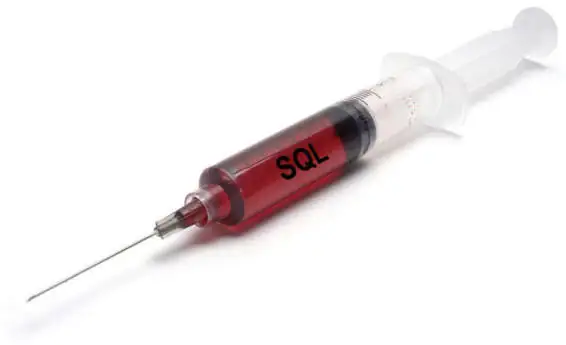
SQL injection, also known as SQLI, is a common attack vector that uses malicious SQL code for backend database manipulation to access information that was not intended to be displayed.
This information may include any number of items, including sensitive company data, user lists or private customer details.
A successful attack may result in the unauthorized viewing of user lists, the deletion of entire tables, gaining administrative rights to a database, all of which are highly detrimental to a business.
Questions asked
-
Explain Authorization and access control in brief.
-
What is the difference between data security and data integrity?
-
What is constraint? Explain types of constraints.
Questions asked in Exam
-
Write a note on two phase locking protocol.
-
Explain ACID properties of transaction with suitable example.
-
What is log based recovery? Explain immediate database modification technique for database recovery. OR Define Failure. Write a note on log based recovery.
-
State differences between conflict serializability and view serializability.
-
Explain two-phase commit protocol.
-
Define transaction. Explain various states of transaction with suitable diagram.